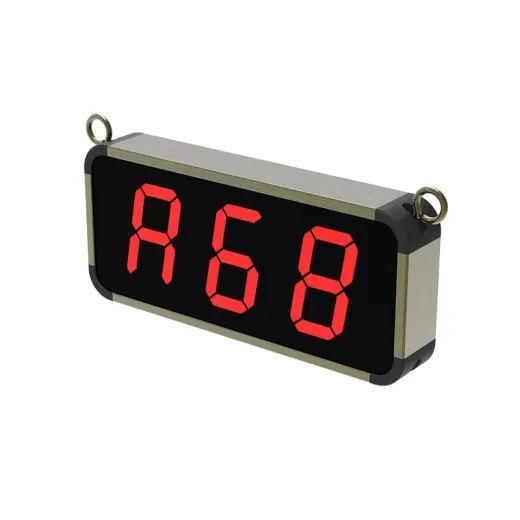
 Nexus
Nexus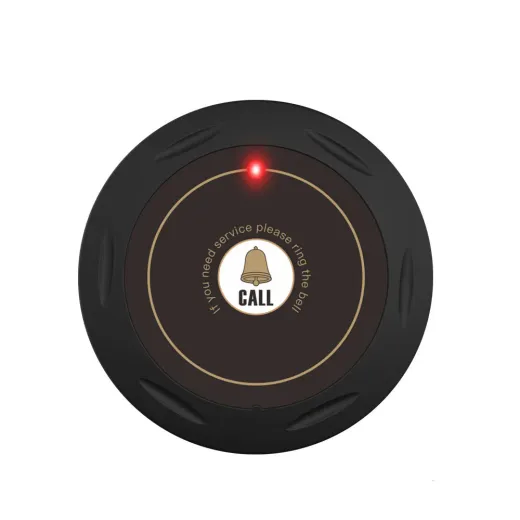 Halo
Halo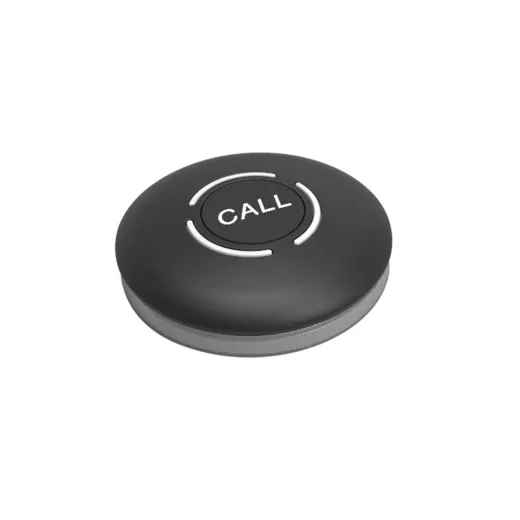 Dot
Dot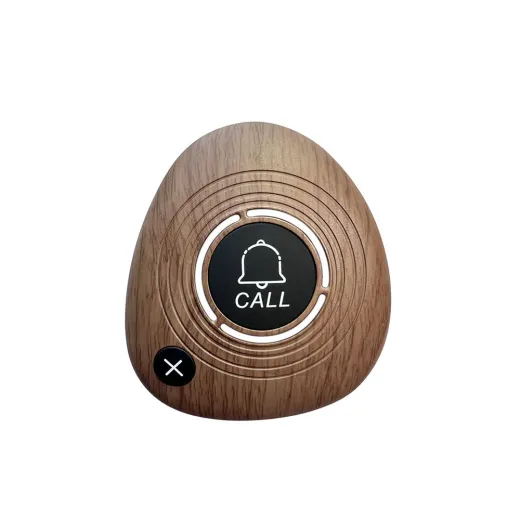 Pebble
In short: a waiter call system is a set of wireless buttons, one per table, that send the table number to a display at the counter when a guest presses them. The display shows and announces the number so staff go straight to the right table. In Sri Lanka, TableTap supplies, installs and supports these systems for restaurants, cafés, hotels and resorts.
Updated 21 October 2026 · By the TableTap team, Malabe
What is a waiter call system?
A waiter call system (also called a wireless calling system, table call button system or restaurant pager system) lets guests ask for service at the press of a button instead of waving, clapping or calling out. It has two parts:
- Call buttons (transmitters): small battery-powered buttons placed on each table, lounger or seating area. Each one is programmed with its own number.
- A receiver: usually an LED display mounted at the counter, bar or kitchen pass. It shows the number of the table that called and often announces it by voice or chime.
Some systems also use wrist-worn pagers for staff. TableTap’s systems use a wall or desk display such as the Nexus, which the whole team can see and hear.
How does a wireless waiter call system work?
- The guest presses the button. The button sends a short radio signal carrying its own code. On TableTap buttons a light confirms the press.
- The signal reaches the receiver. Most systems use the 433 MHz band, which needs no Wi-Fi, cables or internet and passes through a typical dining room easily.
- The display shows and announces the table. The receiver matches the code to a table number, shows it in large digits and plays a chime or voice announcement.
- Staff respond and clear the call. The number is cleared by a key press or automatically after a set time, and the next waiting call appears.
When several guests call at once, a good receiver stores the calls and shows them in order. The TableTap Nexus, for example, shows the first call first and announces every call in turn, so no table is skipped. You can try this in our live demo.
What are the benefits?
- Faster service: staff know exactly which table needs them, the moment it needs them.
- Higher spend per table: guests order extra drinks and desserts when it’s easy to get attention.
- More covers at peak hours: bills are requested and settled sooner, so tables turn over faster.
- Calmer, quieter rooms: no shouting, clapping or waving across the dining room.
- Less staff fatigue: fewer wasted laps of the floor, and smaller teams can cover more tables.
- Better reviews: slow or uneven service is one of the most common complaints, and call buttons address it directly.
Types of call buttons
All buttons do the same basic job, but the shape and features matter for different venues:
| Button type | What it’s good for | TableTap model |
|---|---|---|
| Ultra-slim | Fine dining and styled tables, where the button should almost disappear | Halo (9 mm) |
| One-touch round | Casual dining, poolside and outdoor seating; easy for every age group | Dot |
| Call + Cancel | Busy floors where guests may want to withdraw a call | Pebble |
For Sri Lanka’s climate, water resistance matters: look for buttons that are fully waterproof or rated IPX67 if they’ll be used outdoors, poolside or wiped down often.
How many buttons and displays do you need?
- Buttons: one per table, or one per seating area for loungers and bar counters.
- Displays: one display is enough for most single-floor venues. The Nexus pairs with up to 300 buttons. Add a display for each separate service point, such as a second floor, terrace bar or kitchen.
- Spares: keep one or two spare buttons and a few coin-cell batteries on hand.
How much does a waiter call system cost in Sri Lanka?
The price of a waiter call system depends on a handful of factors rather than a fixed package price:
- Number of tables: the biggest factor, since each table needs a button.
- Button model: slim, waterproof and two-key buttons differ in price.
- Number of displays: one for a small café, several for a hotel with many outlets.
- Installation and training: on-site setup, signal testing and staff training.
- Customisation: logo printing on buttons and table-number stands.
Because there’s no app, Wi-Fi or subscription, the cost is mostly upfront, with only coin-cell batteries to replace over time. For an exact figure, build a quote with your table count and we’ll reply with a price.
How to choose a waiter call system supplier
- Local support: can someone help you in person if a button needs re-pairing before a busy weekend?
- Warranty: TableTap covers every device for 12 months.
- Spares and batteries: check that replacement buttons and batteries are kept in stock locally.
- Expandability: make sure you can add tables and displays later without replacing the system.
- Real announcements: a display that both shows and speaks the number works best in a noisy room.
Call buttons vs QR codes and ordering apps
QR menus and ordering apps are great for browsing the menu, but they rely on the guest’s phone, mobile data or Wi-Fi, and an extra step to open a page. A physical call button is instant, works for every guest (including those without a smartphone) and keeps working if the internet goes down. Many venues use both: QR codes for the menu and a call button for service.
Installation and setup
Wireless systems are quick to install: there are no cables to run. With TableTap, buttons arrive pre-paired with the display. During installation we assign each button its table number, test the signal across the venue, set the volume and announcement options, and train your staff. For step-by-step instructions, see our support and setup guide.
Have a question this guide doesn’t answer? See the FAQ or message us on WhatsApp (076 532 9277).